
Most automation content tells you to automate everything. Set it and forget it. Reclaim your time. Scale without hiring. Nobody tells you when to stop.
This article takes the opposite approach.
The goal is not to talk you out of automation. It is to help you identify the specific situations where automation can create more problems than it solves. If you have ever built a workflow, watched it break quietly in the background, and then spent two hours fixing something that was supposed to save you two hours, this guide is for you.
Knowing when not to automate is just as important as knowing when automation is the right choice.
For small businesses, startups, and lean teams, this distinction matters. Automation can reduce repetitive work and improve consistency, but poorly designed automation can also introduce hidden maintenance costs, data errors, missed tasks, and unnecessary complexity.
Why “Automate Everything” Is Bad Advice
The real cost of a bad automation is rarely just the subscription fee. It includes the time spent designing the workflow, debugging it when something changes, monitoring it, and correcting problems when an automated step behaves differently than expected.
There is also a less obvious cost: loss of trust.
When an automation fails silently by sending the wrong email, skipping a step, creating duplicate records, or moving information to the wrong place, the problem may not be discovered immediately. By the time someone notices, the damage may already have occurred.
Automating a process too early can also make the process harder to change. Every modification to the underlying workflow may require an update to the automation, its integrations, its conditions, and its error handling.
What was originally intended to save time can eventually create a maintenance backlog.
The best automation strategy therefore starts with a clear assessment of which workflows should remain manual. Automating the right processes can deliver significant efficiency gains. Automating the wrong ones can be expensive in terms of time, money, reliability, and team confidence.
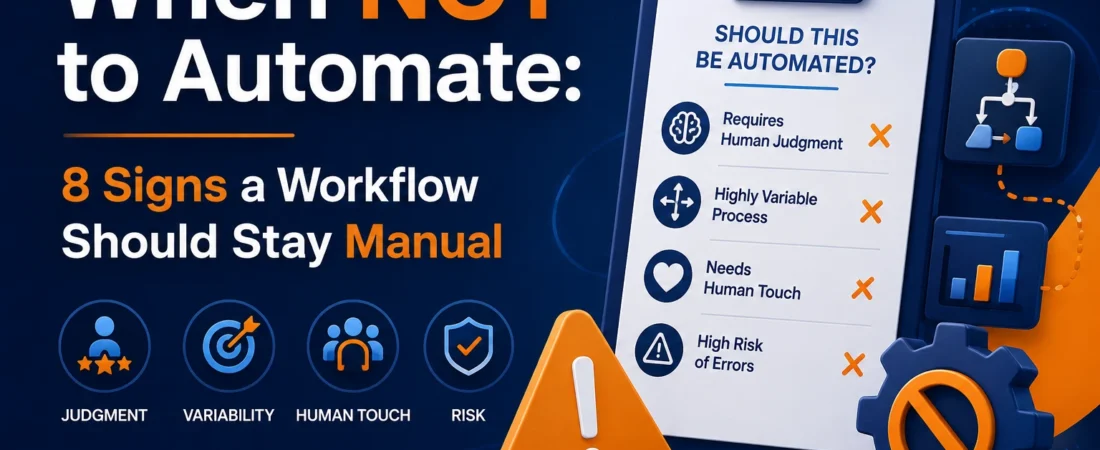
8 Signs a Workflow Should Stay Manual
1. The Process Changes Frequently
If a workflow changes every few weeks because of new steps, new employees, new tools, changing requirements, or revised business rules, automating it may create more maintenance work than it eliminates.
Every change can require adjustments to triggers, conditions, integrations, permissions, notifications, and error handling.
A practical rule is to consider automating a process only after it has remained reasonably stable for at least 30 days without significant changes to its core steps, tools, or ownership.
If the process is still evolving, document it manually and revisit automation after the workflow has settled.
Automating a moving target is rarely efficient. It simply allows confusion to move faster.
2. It Requires Human Judgment
Some decisions cannot be reduced to a simple trigger and action.
Customer complaints, sensitive communications, unusual transactions, employee issues, and situations involving competing priorities often require context that changes from one case to another.
Automation is excellent at executing clearly defined rules. It is much less reliable when the correct decision depends on nuance, tone, intent, or incomplete information.
For example, an automated customer-service workflow may identify certain keywords in a complaint, but it may not understand the difference between a long-term customer who is genuinely frustrated and a new customer who simply misunderstood a product.
When the correct response depends on context, keep a human in the loop.
The cost of making the wrong decision can easily outweigh the time saved by automation.
3. It Happens Rarely
Frequency matters when calculating whether automation is worthwhile.
If a task happens once a week or less, the setup time may never be recovered. For example, suppose a manual workflow takes 10 minutes per week and requires three hours to automate. At that frequency, the initial setup alone creates a long payback period before you even consider maintenance, debugging, monitoring, or software costs.
Before committing to automation, calculate the expected return on investment.
Ask:
- How often does the task occur?
- How much time does each occurrence take?
- How much time will automation realistically save?
- What will the automation cost to build?
- What ongoing subscription or maintenance costs will exist?
- How much monitoring will be required?
For low-frequency tasks, the honest answer may be that manual execution is still more efficient.
4. The Tools Involved Are Unreliable or Poorly Integrated
An automation is only as reliable as its weakest integration.
If one application frequently changes its API, experiences downtime, has limited integration support, or provides inconsistent data, that weakness can affect the entire workflow.
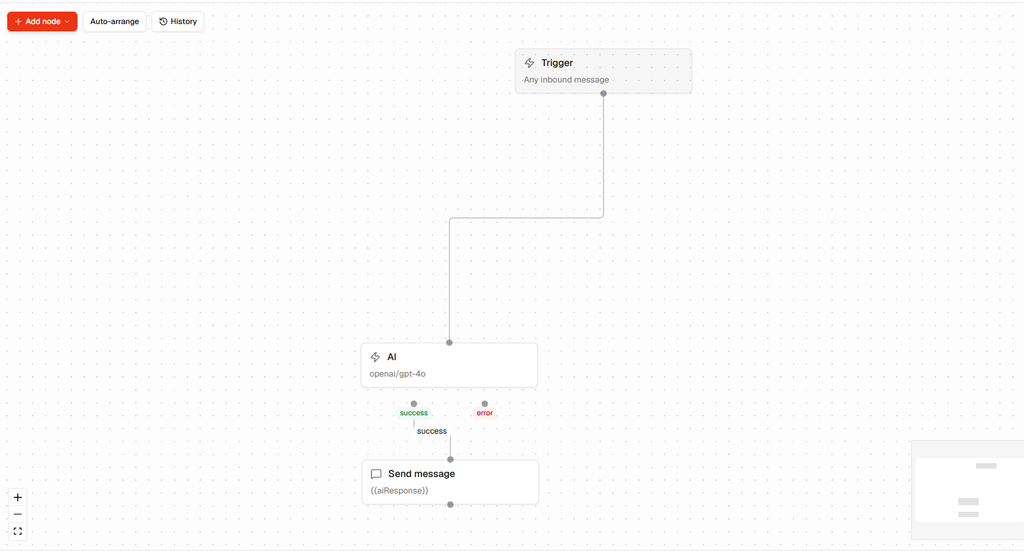
This is particularly important when an automation connects several different systems. A workflow might depend on a form application, CRM, payment system, spreadsheet, email platform, and project-management tool. If any one component changes unexpectedly, the workflow can fail.
The most dangerous failures are often silent failures.
A manual process normally gives someone an opportunity to notice that something has not happened. An automated process may continue appearing healthy while records are missing, emails are not being sent, or information is no longer synchronized correctly.
Before automating, evaluate the reliability of every important tool involved. If one dependency regularly causes problems, consider keeping that part of the workflow manual until the underlying issue is resolved.
5. The Error Cost Is Too High
Not every workflow has the same tolerance for mistakes.
Some errors are inconvenient but easy to fix. Others can create financial, legal, compliance, security, or reputational consequences.
Examples of higher-risk workflows can include:
- Payment processing
- Compliance-related tasks
- Financial reporting
- Contract or legal document handling
- Customer account changes
- Security-sensitive operations
- Important external communications
Automation can still have a role in these areas, but fully removing human oversight may create unnecessary risk.
A useful principle is simple: the higher the cost of an undetected error, the stronger the case for human review.
One of the most common automation mistakes small businesses make is assuming that because something can be automated, it should be automated.
Technical feasibility and business suitability are two different questions.
6. You Don’t Fully Understand the Process Yet
Automating a process you do not fully understand is one of the easiest ways to lock confusion into your operations.
If your team is still figuring out the correct steps, the right order, the required information, or the expected output, automation can make the process harder to change and harder to troubleshoot.
Start by documenting the process manually.
Run the workflow by hand for approximately 30 days and pay attention to what actually happens. Identify exceptions, bottlenecks, duplicate work, unnecessary approvals, and steps that require human decisions.
Then automate only the parts that are stable, repetitive, and rule-based.
This approach is usually more reliable than attempting to automate the entire workflow from day one.
The goal should not be to automate a process simply because automation is available. The goal should be to improve a process that you already understand.
7. The Setup Time Exceeds Six Months of Savings
Automation should have a reasonable payback period.
Before building a workflow, estimate:
- The initial implementation time
- The software and integration costs
- The expected weekly time savings
- The estimated value of that saved time
- The ongoing maintenance requirements
- The expected lifespan of the workflow
You can then estimate the approximate payback period.
A simple calculation is:
Payback period = Initial automation cost ÷ Net monthly savings
If the estimated payback period is longer than six months, think carefully before proceeding, particularly if you operate a small team where priorities and processes may change quickly.
This is not an absolute rule. A strategic automation can still be worthwhile with a longer payback period if it provides important reliability, scalability, or compliance benefits.
However, for a simple repetitive task, a long payback period is usually a warning sign.
8. Your Team Doesn’t Trust Automated Outputs
If employees manually check every output produced by an automation before they can act on it, the automation may not actually be saving time.
Instead, it may have added a verification step on top of the original process.
Trust in automation has to be earned through consistent performance.
A better approach is to begin with low-risk workflows. Monitor their results, measure their accuracy, and gradually increase the level of responsibility given to automation.
Do not immediately automate critical processes simply because a tool can technically perform them.
If your team does not trust the output, that is one of the clearest signs a workflow should stay manual for now.
That does not necessarily mean the process should remain manual forever. It may simply mean the workflow needs better documentation, testing, monitoring, or human review before automation becomes appropriate.
The Automation Decision Test: Ask These 5 Questions Before You Build

Before automating any workflow, evaluate it using these five questions.
- Has this process been stable for at least 30 days?
If not, document and improve it before automating. - Can the correct action be determined without human judgment?
If not, consider keeping a human decision-maker in the workflow. - Does this task happen frequently enough to justify the investment?
If it happens less than three times per week, calculate the expected ROI carefully. - If the automation breaks and nobody notices for 48 hours, what happens?
If the consequences could be serious, introduce monitoring or human review. - Do you fully understand every important step and exception?
If not, document the workflow manually before automating it.
If you answer “no” to several of these questions, the workflow may not be ready for automation.
That is not a failure.
It is useful information that can prevent unnecessary implementation costs and operational problems.
What to Do Instead of Automating Too Early
The alternative to premature automation is not doing nothing.
It is doing the groundwork that makes future automation more reliable.
1. Document the Process
Create a simple checklist or standard operating procedure. Write down the exact steps, inputs, outputs, decisions, and exceptions.
You do not need complicated documentation. The goal is to make the workflow understandable to another person.
2. Run It Manually
Continue operating the process manually for a period of time. A 30-day observation period can reveal patterns that are difficult to see when you only look at the process theoretically.
3. Identify the Repetitive Steps
Separate genuinely mechanical work from tasks that require judgment.
For example, collecting information from a form may be highly automatable, while deciding how to respond to an unusual customer request may not be.
4. Start With the Lowest-Risk Automation
When you are ready, automate the simplest and safest part of the workflow first.
A small successful automation can demonstrate value, build team confidence, and help you learn how the tools behave before you use them for higher-stakes processes.
5. Add Monitoring
Do not treat automation as something you build once and forget.
Use logs, notifications, error alerts, periodic reviews, and simple performance metrics where appropriate.
A workflow that cannot tell you when it has failed deserves particular caution.
When Automation Is the Right Answer

This is not an anti-automation argument.
Automation can be extremely valuable when the conditions are right.
The strongest candidates generally share several characteristics:
- The process is stable.
- The workflow is well understood.
- The task is genuinely repetitive.
- The rules are clear and predictable.
- The error cost is relatively low or recoverable.
- The task occurs frequently enough to justify the investment.
- The tools and integrations are reliable.
- The team can monitor and trust the result.
When these conditions are present, automation can reduce repetitive work, improve consistency, accelerate operations, and reduce certain types of human error.
When should you not automate? When the process is unstable, poorly understood, highly dependent on human judgment, infrequent, unreliable, or too risky to operate without oversight.
The objective is not maximum automation.
The objective is the right level of automation for the process.
Frequently Asked Questions
How do I know if a workflow is worth automating?
Start by evaluating whether the process is stable, repetitive, rule-based, frequent enough to justify the investment, and safe to automate. You should also consider the cost of errors, maintenance requirements, integration reliability, and the amount of human oversight required.
The goal is to automate a process that already works rather than using automation to hide or compensate for a broken process.
What are the most common automation mistakes small businesses make?
Common mistakes include automating processes that are still changing, failing to document the workflow first, ignoring edge cases, underestimating maintenance requirements, and automating high-risk tasks without adequate human oversight.
Another major mistake is failing to monitor an automation after launch. A workflow that fails silently can create more problems than the manual process it replaced.
If you want to understand how we evaluate automation tools and workflows, see our automation tools evaluation methodology.
Should I automate a process I don’t fully understand yet?
Generally, no.
First document the process and understand why each step exists. Run it manually and identify exceptions and decision points. Once the workflow is stable and understood, automate the repetitive components that follow clear rules.
Even apparently simple workflows can contain hidden edge cases. Documentation often reveals these before automation makes them harder to manage.
How long should a process be stable before I automate it?
A reasonable starting point is approximately 30 days without significant changes to the main steps, tools, or responsibilities.
However, 30 days is a guideline rather than a universal rule. A highly important process may deserve a longer observation period, while a very simple low-risk workflow may be suitable for automation sooner.
The more frequently the process changes, the more cautious you should be about automating it.
Final Takeaway: Automate With Intention
The goal of automation is to save time, improve consistency, and reduce avoidable errors – not to automate every task simply because technology makes it possible.
The workflows worth automating are usually stable, well understood, repetitive, rule-based, frequent enough to justify the investment, and safe enough to operate with an appropriate level of oversight.
Everything else deserves a closer look.
Before you build an automation, ask whether the process is actually ready. Document it. Run it manually. Measure it. Identify the repetitive parts. Calculate the potential return. Consider the cost of failure.
Then automate where automation genuinely creates value.
Knowing when not to automate is not an anti-technology mindset. It is good workflow design.
For a broader look at where automation can make sense for small businesses, see our guide to workflow automation for small businesses.
Editorial note: This article provides general workflow and automation guidance. Specific automation decisions should be evaluated against the requirements, risks, tools, and processes of each business.
Published by: Mohammed Fawzi