
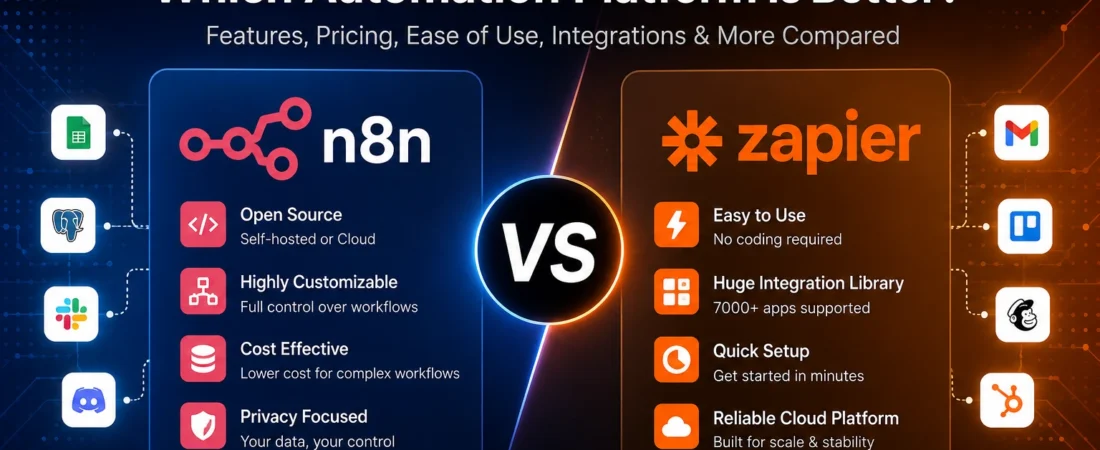
Key Takeaways
- Non-technical users and small teams who need fast, reliable automation across popular apps: Zapier wins. Less setup, cleaner UI, 9,000+ integrations.
- Developers and technical teams who want full control, complex logic, and lower costs at scale: n8n wins. More power, execution-based pricing, self-hosting option.
- Budget-conscious teams running high-volume workflows: n8n’s execution model can become significantly cheaper as workflow volume and step counts increase.
- GDPR-sensitive or data-sovereignty use cases: Self-hosted n8n gives you the greatest control over where your n8n instance and its stored workflow data reside.
- AI automation builders who need custom pipelines, local LLMs, or LangChain: n8n gives you more flexibility. Zapier is faster for standard AI tasks.
Both tools automate repetitive work. Both connect apps. Both save time. But n8n vs Zapier is not a close call for everyone – it depends on who you are and what you’re building. This guide gives you a practical comparison so you can choose the right automation platform for your needs.
What Is n8n?
n8n (pronounced “n-eight-n”) is a workflow automation platform built for technical users who want more control over their automations. It launched in 2019 and has grown into one of the most popular self-hosted automation tools, with more than 200,000 stars on GitHub.
The core idea is simple: connect nodes in a visual canvas to build workflows that move data between apps, run code, call APIs, and handle complex logic. What makes n8n different is that its paid cloud plans charge by workflow execution rather than by individual workflow step. A workflow can contain unlimited steps within the execution allowance of the plan. And if you’re comfortable managing your own infrastructure, n8n also offers a free self-hosted Community Edition.
n8n is particularly strong for developers, agencies, and teams that have outgrown simple trigger-action tools and need branching logic, data transformation, custom code, APIs, and AI workflows.
What Is Zapier?
Zapier is a leading no-code automation platform. Founded in 2011, it connects more than 9,000 apps and is designed so that anyone – no coding required – can set up automated workflows called Zaps in minutes.
A Zap works on a trigger-action model: something happens in one app, and Zapier does something in another. It’s fast, reliable, and beginner-friendly. Zapier handles the infrastructure, maintains its integrations, and provides a clean interface that non-technical users can navigate without help.
The tradeoff is cost and flexibility. Zapier charges based on tasks, with each successful action in a workflow generally counting toward task usage. Complex logic is possible, but n8n offers more flexibility for highly customized workflows.
n8n vs Zapier at a Glance
| Feature | n8n | Zapier |
|---|---|---|
| Pricing model | Per workflow execution | Per task (per action) |
| Starting price | €20/mo (Starter, billed annually) | $19.99/mo (Professional, billed annually) |
| Free tier | Community Edition (self-hosted) | 100 tasks/month |
| Integrations | 2,147 integrations | 9,000+ apps, 477 AI apps |
| Self-hosting | Yes – Community Edition available for self-hosting | No general self-hosted deployment |
| Learning curve | Moderate to steep | Gentle |
| Best for | Developers, technical teams, high-volume and complex workflows | Non-technical users, fast setup, broad app coverage |
| AI features | AI Agent nodes, LLM integrations, LangChain-related capabilities, local model connections | Zapier Copilot, Zapier Agents, 477 AI app integrations |
| Data location | EU-hosted cloud infrastructure or your own server when self-hosted | US-based cloud infrastructure |
Pricing – The Real Difference
This is where the comparison gets interesting. The two platforms measure automation usage differently, so the headline subscription price does not tell the whole story.
How n8n charges you
n8n cloud plans currently include:
- Starter: €20/month when billed annually – 2,500 workflow executions, 5 concurrent executions, and 2,300 AI Assistant credits/month.
- Pro: €50/month when billed annually – 10,000 executions, 20 concurrent executions, and up to 13,700 AI Assistant credits/month.
- Business: €667/month when billed annually – 40,000 executions, with SSO/SAML/LDAP, Git-based version control, environments, and scaling options. This plan is currently self-hosted.
- Enterprise: Custom pricing – custom execution volume, 200+ concurrent executions, extended retention, dedicated support with SLA, and additional governance features.
The key word is execution. An execution is one complete run of your entire workflow. A workflow with 20 steps that runs once still counts as one execution.
How Zapier charges you
Zapier plans currently include:
- Free: $0 – 100 tasks/month, with two-step Zap workflows.
- Professional: Starting at $19.99/month when billed annually – 750 tasks/month, multi-step Zaps, premium apps, and advanced workflow tools.
- Team: Starting at $69/month when billed annually – 2,000 tasks/month and collaboration features for teams of up to 25 users.
- Enterprise: Contact sales – advanced administration, governance, security, and custom usage options.
A task is an action that your Zap successfully completes. Triggers generally don’t count as tasks, and built-in tools such as Filters, Paths, and Formatter can run without consuming the same task allowance as standard action steps. Actions that actually perform work, such as creating a record, sending an email, or updating a row, can count toward task usage.
If you’re also questioning whether Zapier’s pricing still makes sense as your automation needs grow, our n8n vs Zapier discussion looks at when switching to an alternative may be worth considering.
The concrete math
Here’s where the pricing models diverge sharply. Say you build a 5-step workflow: a trigger fires, then four actions run (create a contact, send a Slack message, update a spreadsheet, and log to a database).
- In Zapier: That’s 4 tasks per workflow run because the trigger does not count, while each of the four action steps can count as a task.
- In n8n: That’s 1 execution – the whole workflow, regardless of the number of steps it contains.
If that workflow runs 500 times a month, Zapier would consume 2,000 tasks under this example, while n8n would consume 500 executions. On Zapier’s Professional plan with 750 included tasks, you would exceed the included allowance. On n8n’s Starter plan with 2,500 executions, you would still have room.
Zapier’s pay-per-task billing can continue beyond the included task limit on eligible plans. The current usage policy says pay-per-task billing is capped at three times the selected plan’s task limit, after which additional tasks are held until the billing cycle resets or the plan is upgraded.
The startup discount
n8n offers a 50% discount on its Business plan for qualifying startups with fewer than 20 employees, bringing the annual-billing price to around €333/month. For a small but technically capable team running serious automation volume, that’s worth knowing.
Ease of Use and Learning Curve
Zapier wins here, and it’s not close for beginners.
You can sign up, connect two apps, and build a basic Zap quickly. The interface is clean, the step-by-step builder is intuitive, and Zapier Copilot can generate workflows from a plain-English description. If you’ve never automated anything before, Zapier is the easier starting point.
n8n is a different experience. The visual canvas is powerful, but it asks more of you upfront. You’ll encounter JSON data structures, expressions for referencing previous node outputs, and – if you self-host – Docker configuration, SSL certificates, reverse proxy setup, and database management. None of this is impossible, but it creates a steeper learning curve for a non-technical user.
That said, n8n’s community consistently highlights the same basic experience: the first few workflows can take longer while you learn the node and data-flow model. Once that mental model clicks, building becomes significantly faster.
For non-technical users, Zapier is the right call. For developers or technically curious people willing to invest time upfront, n8n’s learning curve can pay off.
Integrations
Zapier’s integration library is its biggest competitive advantage: 9,000+ apps, including a large catalog of AI-related integrations. Zapier manages these integrations centrally, which means they are maintained as the platform and connected services evolve. If the app you need exists, Zapier has a strong chance of supporting it.
n8n currently lists 2,147 integrations. The important nuance is that n8n’s HTTP Request node lets you connect to virtually any service with a usable API, even if there is no dedicated native integration. You can also build or use custom nodes in supported environments.
The tradeoff is effort. A native Zapier integration is generally plug-and-play. An n8n HTTP Request connection may require you to read the API documentation, configure authentication, and handle the response yourself. For developers, that’s fine. For everyone else, it can be a barrier.
If your stack includes niche or enterprise tools that aren’t in n8n’s native library, Zapier is the safer choice. If your stack is fairly standard – Google Workspace, Slack, Notion, Airtable, HubSpot, Stripe – n8n may cover what you need, and its HTTP Request node gives you another option when a native node is unavailable.
Workflow Flexibility and Complexity
This is where n8n pulls ahead for anyone building anything beyond simple trigger-action automations.
n8n supports branching logic, loops, data transformation, conditional routing, sub-workflows, and custom JavaScript or Python through its Code node. You can build workflows that process arrays of data, call external APIs mid-workflow, handle errors, and route execution down different paths based on runtime conditions.
Zapier has its Paths feature, which lets you add conditional branches to a Zap. It works well for straightforward if/then logic, but n8n generally gives technical users more control over complex branching and data handling. Zapier also has Looping, but it is a more guided approach than n8n’s broader workflow model.
For straightforward automations – “when X happens in app A, do Y in app B” – Zapier is perfectly capable and faster to set up. But when you need to process data, transform payloads, or build logic that branches into multiple paths with different outcomes, n8n is the stronger tool.
APIs, Webhooks, and Custom Code
n8n was built with developers in mind. Its plans include the HTTP Request node for APIs, a Code node for JavaScript and Python, webhook triggers, and the ability to control n8n through its API. Self-hosted deployments also provide additional control through supported developer and system tools.
Zapier offers webhooks on relevant paid plans, plus Code by Zapier for JavaScript and Python. Standard Code by Zapier runtime limits are currently 1 second on Free, 30 seconds on Professional and Team, and 2 minutes on Enterprise. Zapier also offers extended runtimes on eligible paid plans, subject to additional task usage.
n8n does not use the same fixed Code-step runtime schedule. Actual execution limits depend on the n8n deployment, infrastructure, workflow configuration, and available resources, so it is more accurate to compare it as a flexible execution environment rather than claim that it has no runtime limits at all.
AI Automation
Both platforms have invested heavily in AI, but they approach it differently.
n8n’s AI capabilities are built for technical teams that want to build custom AI workflows. n8n provides AI Agent nodes, LLM integrations, LangChain-related capabilities, vector database integrations, and connections to local models such as Ollama. On self-hosted instances, you control the infrastructure and the external AI services your workflows connect to. Cloud plans also include AI Assistant credits.
Zapier’s AI capabilities are designed for speed and accessibility. Zapier Copilot lets you describe what you want in plain English and generates workflow steps. Zapier also provides AI-powered workflow tools and access to a broad range of AI applications through its integration ecosystem.
For standard AI tasks – summarizing emails, classifying support tickets, generating content, or enriching records – Zapier is often faster to set up. For custom AI pipelines, local models, and workflows that need more fine-grained control over data flow and execution, n8n gives you more room to work.
Self-Hosting – Who It’s Really For
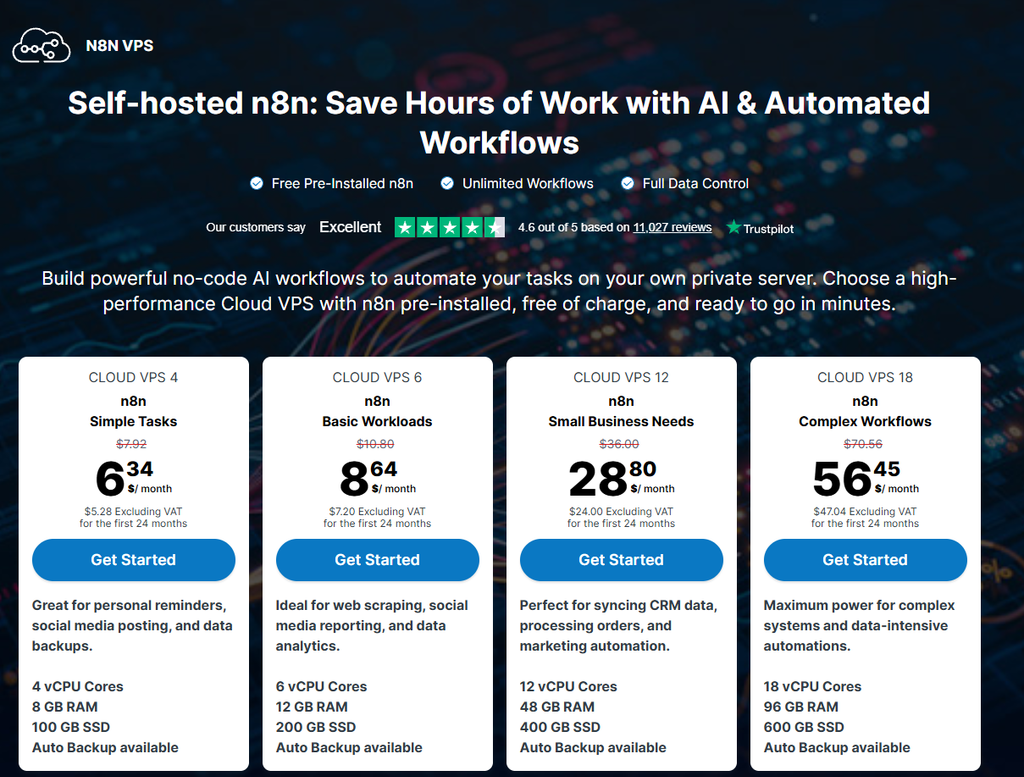
n8n’s Community Edition is available for self-hosting. That’s the headline. The reality is more nuanced.
Self-hosting n8n means you’re responsible for the infrastructure around your instance. Depending on your setup, that can include Docker, PostgreSQL, SSL, reverse proxy configuration, DNS, persistent storage, backups, monitoring, and ongoing maintenance. When n8n releases an update, you are responsible for deploying and validating it in your environment.
For a developer or DevOps engineer, this is routine work. For anyone else, it’s a significant ongoing commitment. Self-hosted environments can also develop operational issues such as large execution histories, database growth, configuration problems, or performance bottlenecks if they are not maintained properly.
The upside is real: the free Community Edition does not charge n8n’s cloud-style execution fees, you control the infrastructure, and you can keep the n8n instance and its stored workflow data on infrastructure you manage. However, your workflows can still send data to external services such as APIs, SaaS applications, databases, and AI providers, so self-hosting does not automatically mean that every piece of workflow data stays inside your server.
n8n Cloud hosts its infrastructure and stored data in the European Union on Microsoft Azure. Self-hosted n8n stores data wherever you deploy it.
Self-hosting is not for non-technical users. If you’re not comfortable with Docker, Linux, networking, and server maintenance, start with n8n Cloud or Zapier.
Debugging, Error Handling, and Maintenance
Zapier’s error handling is cleaner and more beginner-friendly. When a Zap fails, you get a clear error message and tools for reviewing or replaying runs after an issue is fixed.
n8n has execution logs, error workflows, and in-editor debugging. These are powerful tools, but they give you more responsibility to design how failures should be handled. A workflow can also complete successfully while producing an unexpected result because a condition was not met or input data was empty. Catching these situations requires proactive workflow design and validation.
Self-hosted n8n adds another layer of maintenance: database growth from execution data can become a real issue if you do not configure sensible retention and cleanup policies, and manual updates mean you’re responsible for keeping the instance current and stable.
For teams that want automation to work with minimal infrastructure overhead, Zapier’s managed environment is easier to maintain.
Scalability and Reliability
Zapier is managed SaaS. Uptime, scaling, and core infrastructure reliability are handled by Zapier rather than by your team. If your automation volume spikes, the platform manages the underlying service capacity, subject to plan and usage limits.
n8n Cloud scales with your plan, while self-hosted n8n scales according to the infrastructure you provide and configure. With self-hosting, you own the reliability of the server and supporting services. If the infrastructure goes down, your workflows can stop until the problem is resolved.
One area where n8n can have a clear technical advantage is event-driven workflow design. n8n supports webhook triggers, while Zapier uses both polling and instant triggers depending on the integration.
For polling triggers, Zapier’s current default intervals are 15 minutes on Free, 2 minutes on Professional, and 1 minute on Team and Enterprise. Professional, Team, and Enterprise users can also adjust supported polling intervals within plan and app limitations.
Security and Privacy
For teams with strict data requirements, this section matters more than pricing.
Self-hosted n8n provides the greatest control over data location and infrastructure. Your n8n instance, credentials, execution data, and logs can remain on infrastructure you control, subject to the external services your workflows connect to.
n8n Cloud uses Microsoft Azure for hosting, and its physical hardware and stored platform data are currently hosted in the European Union. That can be relevant for organizations with EU data-residency requirements, although GDPR compliance depends on the complete workflow, integrations, processing activities, and contractual setup – not simply where the automation platform hosts its infrastructure.
Zapier hosts customer data on AWS servers in the United States. Zapier also states that it supports GDPR and other privacy frameworks and provides mechanisms such as its Data Processing Addendum and transfer safeguards. For workflows handling sensitive personal data, the location and processing of that data remain important compliance considerations.
For most small businesses and marketing teams, Zapier’s managed security model may be more than adequate. For healthcare, finance, legal, or other teams handling regulated data, self-hosted n8n or n8n’s EU-hosted cloud can be worth evaluating alongside your organization’s legal and compliance requirements.
n8n vs Zapier for Different Users
Small Business Owner
You need automation to work without babysitting it. Zapier is the right call for many small business owners – it’s reliable, easy to set up, and doesn’t require technical infrastructure. The cost can be higher as task usage grows, but the time saved on setup and maintenance can be worth it for straightforward automations.
For a broader look at how different automation platforms fit into a small-business workflow, see our guide to workflow automation for small business.
Marketing Team
For connecting CRMs, email platforms, ad tools, and spreadsheets, Zapier’s 9,000+ integrations cover a very broad range of marketing stacks. If your team isn’t technical and you need automations running quickly, Zapier wins. n8n becomes more relevant if you’re building custom lead scoring, data enrichment pipelines, or AI-powered content workflows.
Developer
n8n is built for you. Full API access, custom code, HTTP Request for services without native integrations, self-hosting, and the ability to build complex workflows give developers far more control. The execution-based pricing model can also make economic sense at higher workflow volumes.
Agency
Agencies building automations for clients face a specific challenge: you need to manage multiple workflows across multiple clients, often with different tool stacks. n8n’s self-hosted model can work well here – one infrastructure environment can support multiple client workflows without per-execution cloud billing. But the maintenance burden is real. Zapier’s Team plan is easier to manage and hand off to clients who aren’t technical.
AI Automation Builder
n8n is the stronger platform for custom AI workflows. AI Agent nodes, local model connections such as Ollama, vector database integrations, and its broader workflow control give you the building blocks for sophisticated multi-step AI pipelines. Zapier is often better suited to teams that want to add AI features without configuring a more technical automation stack.
Enterprise
Large organizations need governance, auditability, SSO, reliability, and support. Zapier’s Enterprise plan is mature and designed for managed automation. n8n’s Enterprise plan offers advanced security and governance features along with both hosted and self-hosted deployment options, but self-hosted environments require more internal technical capability. Both are viable – the choice comes down to whether your team wants to manage more infrastructure or pay for a managed platform.
Advantages and Disadvantages
n8n
Pros
- Execution-based pricing can be much more economical for complex, high-volume workflows
- Self-hosting gives you extensive control over infrastructure and data location
- JavaScript and Python support through the Code node
- Powerful branching, loops, and data transformation
- Strong AI workflow capabilities, including AI Agent nodes and local model connections
- Webhook-based event triggers
- Large and active technical community with more than 200,000 GitHub stars
- EU-hosted cloud infrastructure
- 50% startup discount for qualifying companies with fewer than 20 employees
Cons
- Steeper learning curve, especially for self-hosting
- Fewer native integrations than Zapier (2,147 vs 9,000+)
- Complex workflows can require more deliberate error handling
- Self-hosting means you own maintenance, updates, backups, and reliability
- Business plan (€667/month) is expensive for teams that don’t need its scale and governance features
- Community Edition does not provide the full collaboration and governance feature set of the higher-tier plans
Zapier
Pros
- Easiest automation platform for many non-technical users
- 9,000+ integrations – one of the broadest app catalogs available
- Managed SaaS – no infrastructure to maintain
- Clear error handling, notifications, and replay tools
- Zapier Copilot can generate workflows from plain-English descriptions
- 477 AI-related app integrations listed in Zapier’s current app catalog
- 14-day trial experience for premium features on signup
- Polling and webhook-based triggers depending on the integration and plan
Cons
- Task-based pricing can become expensive for multi-step workflows
- Pay-per-task overage can increase costs once included task usage is exceeded
- No general self-hosted deployment option
- US-based cloud infrastructure can be a data-residency consideration for EU organizations
- Less workflow flexibility for highly technical branching and data logic
- Code by Zapier has plan-specific runtime limits, although extended runtimes are available on eligible paid plans
- Polling can be slower on lower plans for integrations that rely on polling rather than instant triggers
Which One Should You Choose?
Choosing an automation platform also starts with deciding whether the task itself is a good candidate for automation. Our guide on n8n vs Zapier explains how tool selection fits into that decision.
Choose n8n if:
- You’re a developer or have technical team members comfortable with APIs, workflows, and infrastructure
- Your workflows are complex – branching logic, data transformation, loops, custom code
- You’re running high-volume automations where per-task pricing would become expensive
- Data location or infrastructure control is a priority
- You want to build custom AI pipelines with local models, AI agents, or vector databases
- You’re willing to invest time upfront to gain more flexibility long-term
Choose Zapier if:
- You or your team are non-technical and need automation working quickly
- You need integrations with niche or enterprise apps not covered by n8n’s native library
- You want a managed platform with no infrastructure overhead
- Your workflows are straightforward trigger-action automations
- You’re just getting started with workflow automation tools and want the gentlest learning curve
- Speed of setup matters more than cost optimization
The honest answer: many teams can use both. Zapier for quick, non-technical automations. n8n for complex, high-volume, or infrastructure-controlled workflows. They’re not mutually exclusive.
Alternatives Worth Knowing
Make (formerly Integromat)
Make sits between Zapier and n8n on the complexity spectrum. It offers a visual canvas-based builder with more flexibility than Zapier but a gentler learning curve than n8n. Pricing is operation-based, and it has strong support for complex data structures. A good choice for teams that want more power than Zapier without the full technical overhead of n8n.
Pipedream
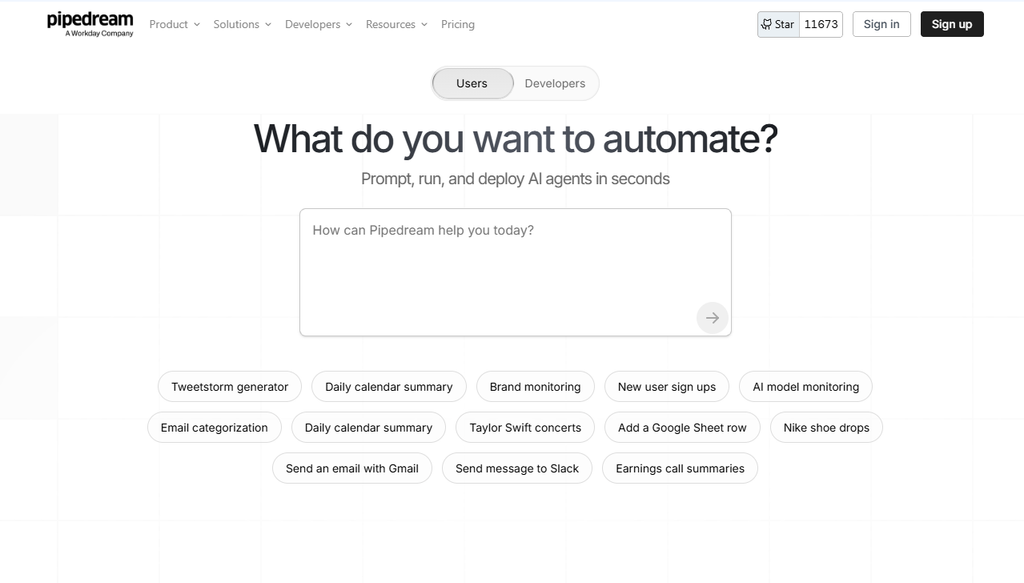
Pipedream is a developer-first automation platform with a code-centric approach. It’s serverless and supports Node.js and Python. If you’re a developer who wants to write code rather than drag nodes, Pipedream is worth a look – especially for API-heavy workflows where you want full control without managing infrastructure yourself.
Activepieces
Activepieces is an open-source automation platform that can be self-hosted and is aimed at users looking for a simpler alternative to more technical workflow tools. It has a cleaner visual experience than some developer-focused platforms and can be easier to self-host, but its integration library is smaller. A strong option for teams that want self-hosting without adopting the full n8n learning curve.
Frequently Asked Questions
Is n8n cheaper than Zapier?
For simple, low-volume workflows, the cost difference can be small. But as workflows grow in steps or volume, n8n can become significantly cheaper because its cloud pricing is based on complete workflow executions rather than individual successful action steps. A 5-step workflow that runs 500 times a month uses 2,000 tasks in Zapier under the example above but only 500 executions in n8n. On Zapier’s Professional plan with 750 included tasks, that workflow would exceed the included allowance. On n8n’s Starter plan with 2,500 executions, it would still have room. Self-hosted n8n’s Community Edition has no n8n Cloud execution charges, although you still pay for the infrastructure you run it on.
How hard is n8n to learn compared to Zapier?
Zapier is genuinely beginner-friendly. n8n has a real learning curve, particularly around JSON data handling, expressions, workflow design, and self-hosting setup. That said, once the node and data-flow model clicks, building in n8n can become fast and intuitive. If you’re not technical, start with Zapier. If you’re willing to invest time, n8n’s flexibility may be worth it.
Is self-hosting n8n worth it?
It depends on your technical capability and use case. Self-hosting gives you more control over data location, infrastructure, and execution costs, but it requires server administration, database management, backups, security, and updates. For a solo developer or a team with DevOps resources, it can be worth it. For a non-technical team or anyone who doesn’t want to manage infrastructure, n8n Cloud or Zapier is a better fit.
Can n8n replace Zapier completely?
For many technical teams, yes. n8n covers the same core use cases as Zapier and adds significant control on top. The main gap is the native integration catalog: Zapier’s 9,000+ app ecosystem is much larger than n8n’s 2,147 listed integrations. If you rely on niche apps that n8n doesn’t support natively, you may need to use the HTTP Request node or another integration method – which works, but requires more setup. For standard business tools, n8n can be a complete replacement.
Which is better for AI automation – n8n or Zapier?
For custom AI pipelines, n8n is the stronger platform. It offers AI Agent nodes, local model connections such as Ollama, vector database integrations, and detailed workflow control. Zapier is better for teams that want AI features with less configuration. Zapier Copilot and its large AI integration ecosystem make it easy to add AI steps to existing workflows. The choice mirrors the broader comparison: n8n for power and flexibility, Zapier for speed and simplicity.
Which is better for small teams?
It depends on the team’s technical makeup. A small marketing or operations team with no developers will often get more done faster with Zapier. A small team that includes a developer or technically capable person may find n8n more cost-effective and flexible as workflow complexity increases. Budget is also a factor: Zapier’s Professional plan starts at $19.99/month for 750 tasks, while n8n’s Starter plan is €20/month billed annually for 2,500 executions.
Conclusion
n8n and Zapier are both strong automation platforms, but they solve different problems. Zapier is the easier choice when you want a managed platform, a huge integration catalog, and a quick path from idea to working automation. n8n is the better fit when you need more control over workflow logic, APIs, code, AI pipelines, or infrastructure.
For a non-technical team that values simplicity, Zapier remains the easier recommendation. For developers, technical teams, agencies, and users building complex or high-volume automations, n8n deserves a serious look.
The best choice is ultimately the platform that matches how much complexity, control, and maintenance your team is prepared to handle.